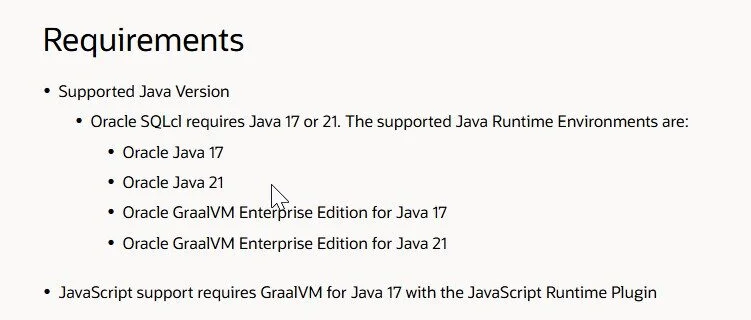
Of course typically you'll have your script in a myscript.js file that you want to run. This worked without issues with openjdk-11 (still does on Linux), but on Windows I'm seeing:
C:\Entwicklung\Projekte\ebs>sqlcl\bin\sql.exe /nolog

SQLcl: Release 25.3 Production auf Di. Nov. 11 20:53:36 2025

Copyright (c) 1982, 2025, Oracle. All rights reserved. Alle Rechte vorbehalten.

SQL> !type test.js
ctx.write('Start extraction ...\n');

SQL> script test.js
TypeError: invokeMember (write) on oracle.dbtools.raptor.newscriptrunner.ScriptRunnerContext failed due to: Unknown identifier: write at line number 1 at column number 1
SQL>
Crazy thing. Running an empty script block before solves (or better: workarounds) this behavior that differs from the openjdk behavior with previous SQLcl versions:
C:\Entwicklung\Projekte\ebs>sqlcl\bin\sql.exe /nolog

SQLcl: Release 25.3 Production auf Di. Nov. 11 20:54:47 2025

Copyright (c) 1982, 2025, Oracle. All rights reserved. Alle Rechte vorbehalten.

SQL> script
2 ;
3* /
SQL> script test.js
Start extraction ...
SQL>
While I don't understand this, maybe I'll get an answer here: https://forums.oracle.com/ords/apexds/post/sqlcl-25-3-migrating-to-graalvm-with-js-plugin-0345
Lucky for me I run all my scripts through a small run.sql-helper that I just extended by 3 dummy-lines to make this workaround global across my project:
whenever oserror exit failure
whenever sqlerror exit failure
script
;
/
script &1 &2;
exit;