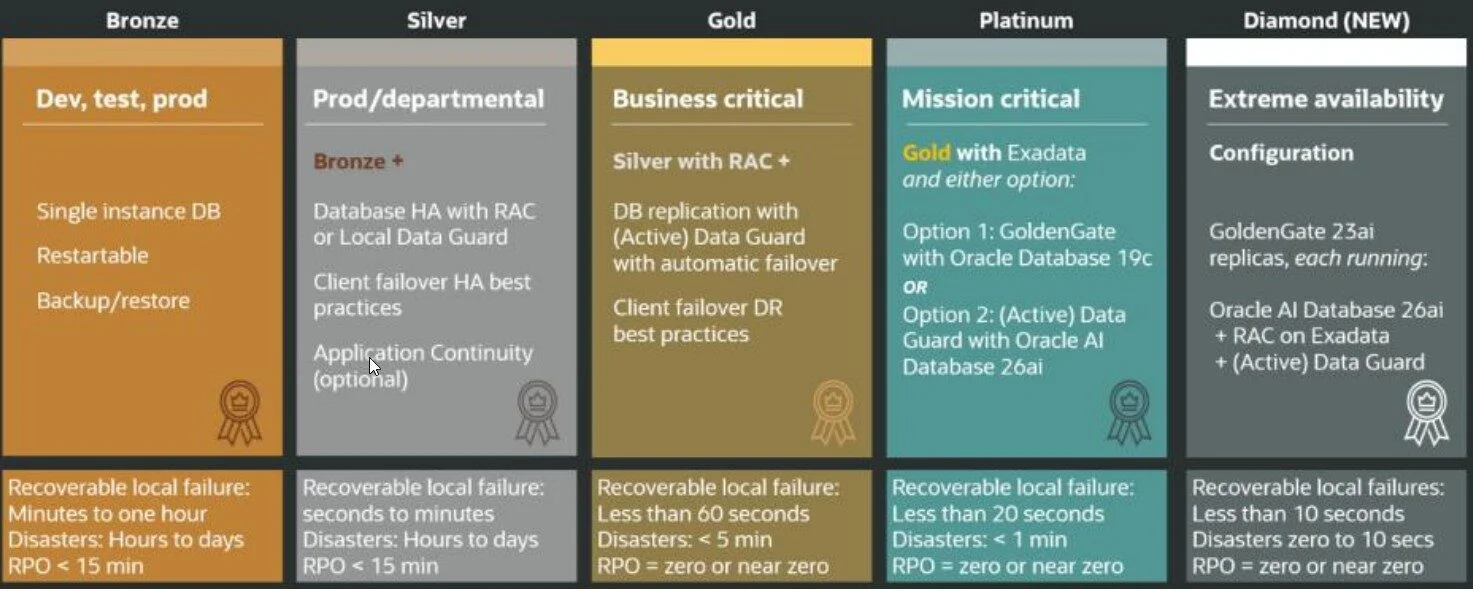
Securing EBS requires a bifurcated approach because you are protecting two distinct layers:
The Database Tier: (Base Database Service)
The Application Tier: (Compute Instances/Filesystems)
While OCI provides excellent native tools, we discovered that achieving true undeletable immutability requires a specific architectural choice, particularly for the application tier.
Part 1: The Database Tier (The Easy Win)
For the database layer, OCI offers a powerful native solution: the Oracle Database Autonomous Recovery Service: https://docs.oracle.com/en-us/iaas/recovery-service/doc/overview-recovery-service.html
We migrated the backup destination from standard Object Storage to Autonomous Recovery Service. This service allows for a "Recovery Window" where backups are protected by a policy lock.
The Broadpin Setup: We configured a retention window of 35 days.
The "Lock": By enabling the Policy Locking feature, we ensure that the retention period cannot be reduced, and backups cannot be deleted before the window expires.
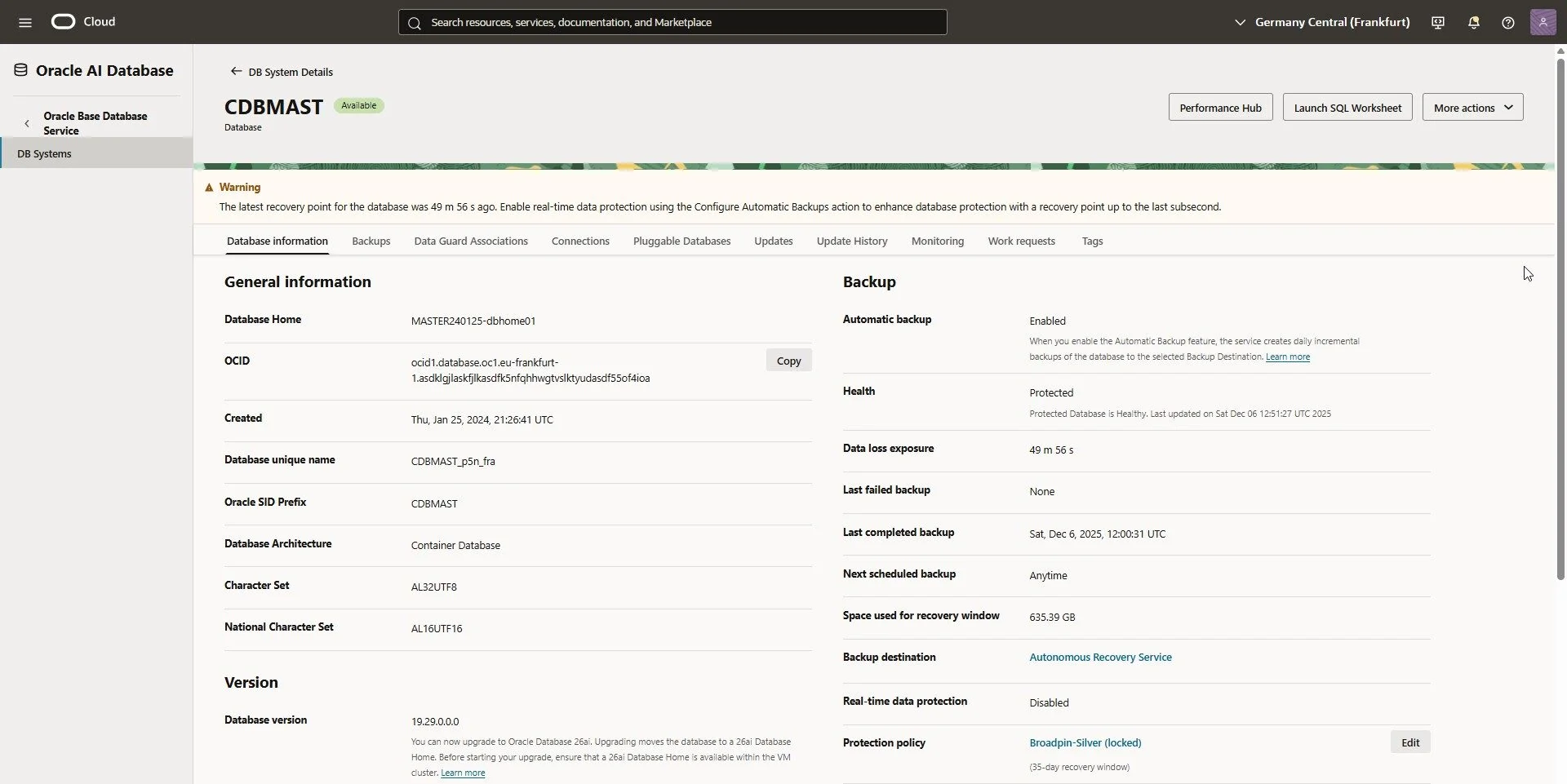
Base Database protected with a locked retention policy
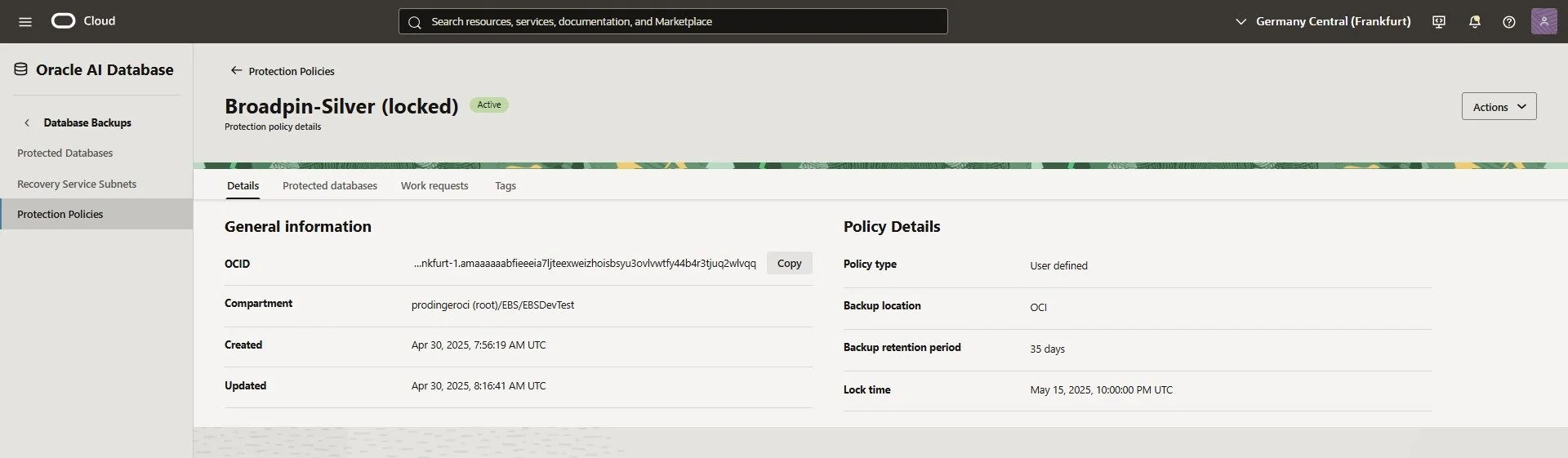
Details on the Policy
Note: For deep divers, check the official documentation on Policy Locking.
Part 2: The Application Tier (The Workaround)
Here is where things get interesting. Typically, you would use OCI Block Volume Backups for the App Tier boot and data volumes (/u01).
However, as we identified during our analysis (referencing Doc ID 2990758.1), while OCI Block Volume backups are technically immutable (you can't change the data inside them), they currently do not support a Retention Lock. This means a compromised administrator account could strictly delete them.
The Solution: To bypass this, we implemented a file-level backup strategy leveraging OCI Object Storage Buckets with Retention Rules.
Step 1: Configure Immutable Object Storage
We created a specific bucket named Master_Immutable_Backup. To manage costs and security, we applied two specific rules:
Lifecycle Policy: Automatically deletes objects after 36 days (to keep storage costs flat).
Retention Rule: A Time-Bound Retention Rule that creates a WORM (Write Once, Read Many) lock for 35 days.
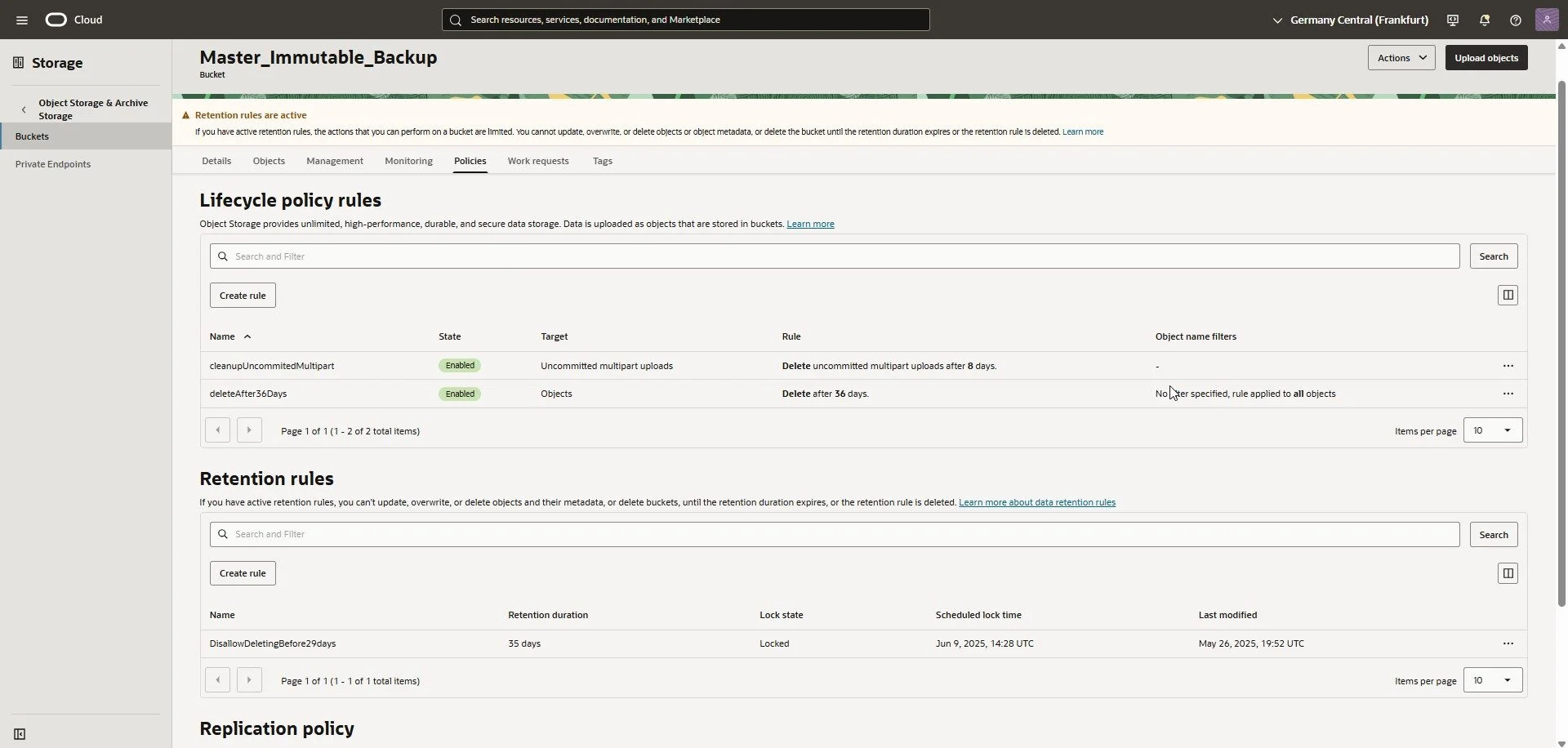
Bucked with Lifecycle Policy and Retention Rule
Crucial: Once this Retention Rule is locked, no one—not even the tenancy admin or Oracle Support—can delete the files before the timer expires.
Note: You could even add a Replication policy to mirror the backup to a second OCI region.
Step 2: IAM & Access
To allow the EBS Application server to push backups without exposing permanent user credentials, we used Instance Principals.
Create a Dynamic Group (MAST): We defined a dynamic group that includes the specific EBS application instance(s) to be backed up.
Create the Policy: We granted the dynamic group permission to manage objects in our specific bucket:
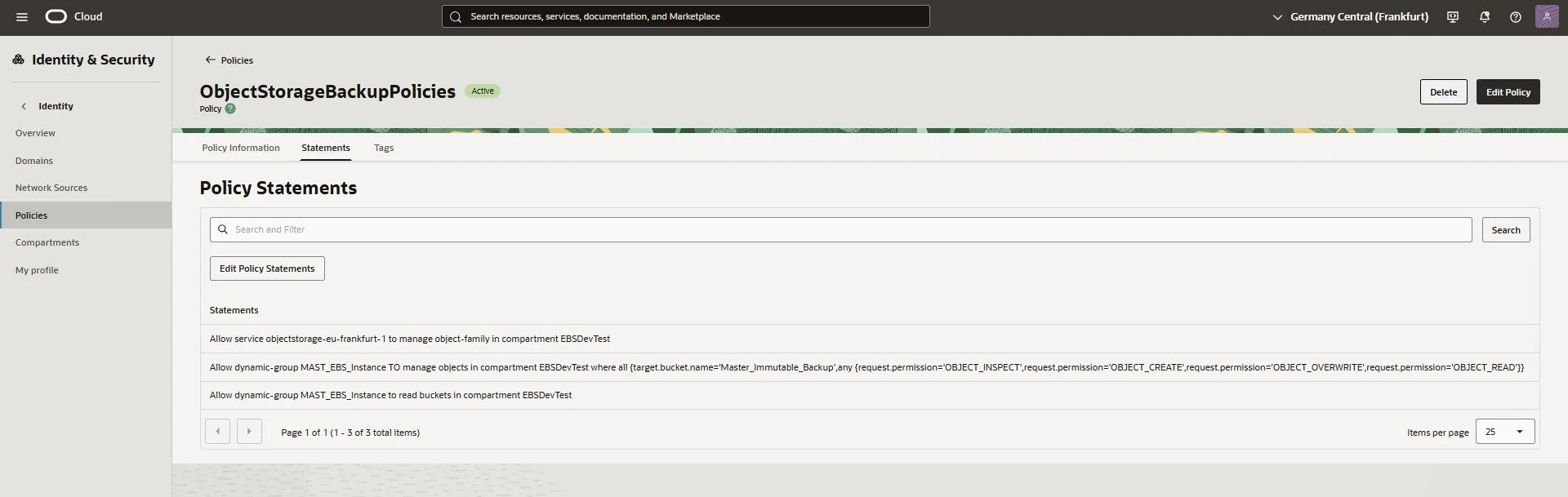
Policy to allow the dynamic-group MAST_EBS_Instance to write backups to the bucket
Step 3: Scripting the Backup
On the EBS Application Tier, we utilized the OCI CLI to stream the backup directly to the bucket.
Install OCI CLI (on the App Tier):
sudo yum install python36-oci-cli
The Backup Script (backup_oci.sh): We created a script that tars the /u01 directory (excluding logs to save space) and pipes it directly to Object Storage. This prevents the need for massive local temporary files. A simplified version of the script (you will want to add more logging and issue handling, but I omitted this for brevity):
The Backup Script (backup_oci.sh): We created a script that tars the /u01 directory (excluding logs to save space) and pipes it directly to Object Storage. This prevents the need for massive local temporary files. A simplified version of the script (you will want to add more logging and issue handling, but I omitted this for brevity):
Step 4: Automation
Finally, we added this to the oracle user's crontab to execute every Sunday night.
5 1 * * 0 /u01/install/APPS/scripts/backup_oci.sh
Verification: The "Fire Drill"
A backup strategy is only a hope until you test the restore. We verified the integrity of our immutable pipeline with the following restore command:
oci os object get --bucket-name Master_Immutable_Backup --auth instance_principal --name bkp_fullMAST_master240125app01_20250526_182354.tgz --file - | tar -zxv