The commands
Most of the commands are explained in my previous blog posts, so here is "just the condensed" version:
Preparation for windows:
wsl -install
#reboot windows and open ubuntu Shell:
curl -fsSL https://get.docker.com -o get-docker.sh
sudo sh get-docker.sh
sudo usermod -aG docker $USER
Then login to the Oracle Container registry and pull the latest images:
docker login container-registry.oracle.com
docker pull container-registry.oracle.com/database/free:latest
docker pull container-registry.oracle.com/middleware/soasuite:14.1.2.0-21-ol9-241205
Setup a network and create a (non certified) free edition database instance:
docker volume create mysoadb1
docker network create soanet1
docker run --name myxe1 --network soanet1 -e ORACLE_PWD=Promatis1 -p 1521:1521 -v mydbvol:/opt/oracle/oradata --rm container-registry.oracle.com/database/free:latest
For creating a metadata repository and creating a domain we need two environment files (one for the admin, and one for the managed server):
jmichler@PROM-231:~/soa-tests$ cat adminserver.env
CONNECTION_STRING=myxe1:1521/freepdb1
RCUPREFIX=SOA2
DB_PASSWORD=Promatis1
DB_SCHEMA_PASSWORD=Promatis1
ADMIN_PASSWORD=Promatis1
DOMAIN_NAME=soainfra
DOMAIN_TYPE=soa
ADMIN_HOST=soaadmin2
ADMIN_PORT=7001
PERSISTENCE_STORE=jdbc

jmichler@PROM-231:~/soa-tests$ cat soa_server1.env
MANAGED_SERVER=soa_server1
DOMAIN_NAME=soainfra
ADMIN_HOST=soaadmin2
ADMIN_PORT=7001
ADMIN_PASSWORD=Promatis1
MANAGED_SERVER_CONTAINER=true
MANAGEDSERVER_PORT=7003
With that in place we can start the SOA Suite servers:
docker volume create soa1_userproject

docker run -d --rm --name soaadmin2 --network soanet1 -v soa1_userprojects:/u01/oracle/user_projects -p 7001:7001 --env-file ./adminserver.env container-registry.oracle.com/middleware/soasuite:14.1.2.0-21-ol9-241205
#wait until it is up and running. Then:
docker run -d --rm --name soams1 --network soanet1 -v soa1_userprojects:/u01/oracle/user_projects -p 7003:7003 --env-file ./soa_server1.env container-registry.oracle.com/middleware/soasuite:14.1.2.0-21-ol9-241205 "/u01/oracle/container-scripts/startMS.sh"
Within just minutes you can then connect to the latest and greatest SOA Suite version:
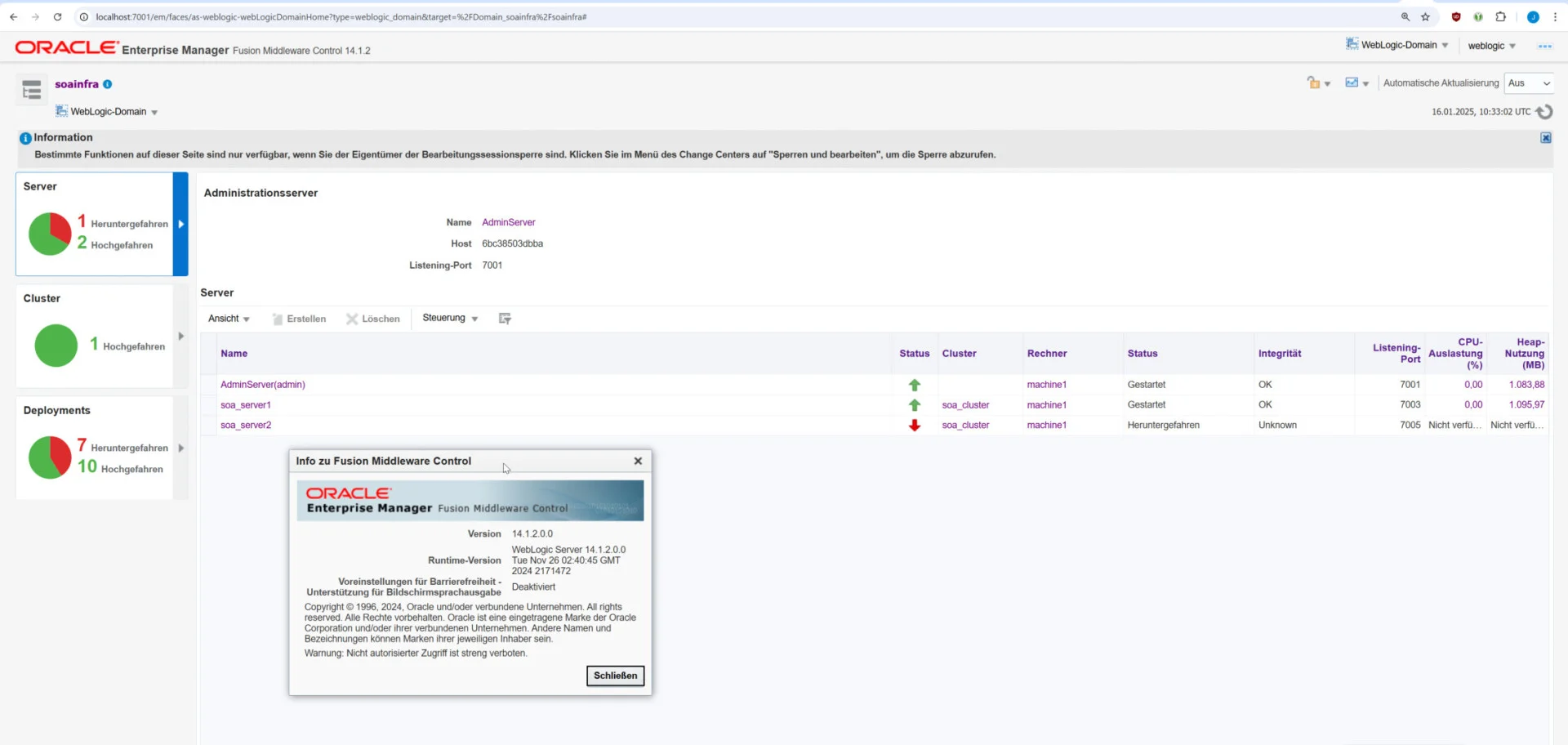
SOA Suite 14c running in docker
Summary
The latest SOA Suite release provides some new features and most important premier support until December 2029:

14c Support as of January 2024; see
Keep in mind that the clock is ticking now for any 12.2.14 instance of SOA Suite you may still be using; you'll probably want to migrate to 14c (which is a limited project) at the latest somewhen next year:
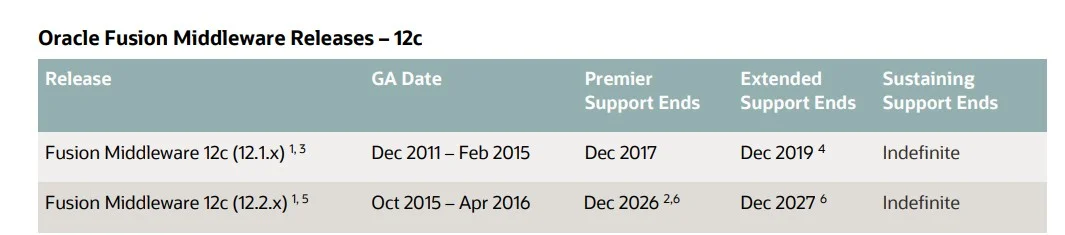
12.2.14 support timeline
