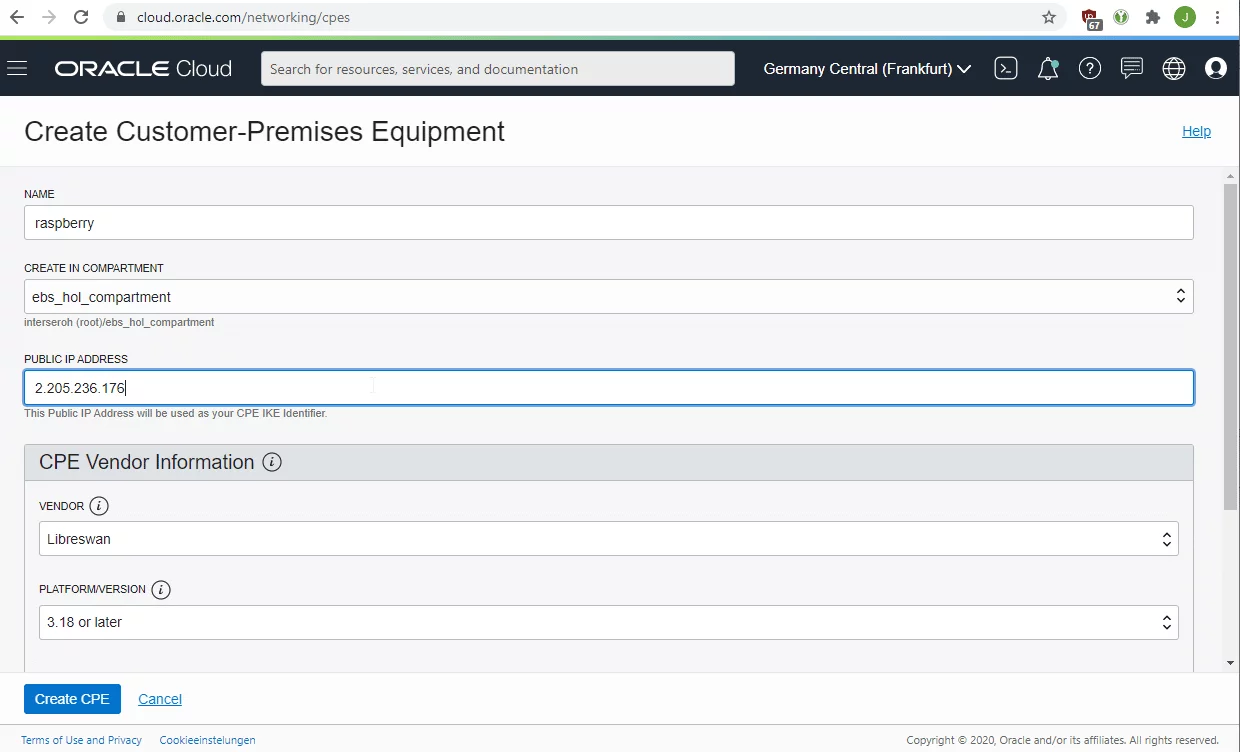
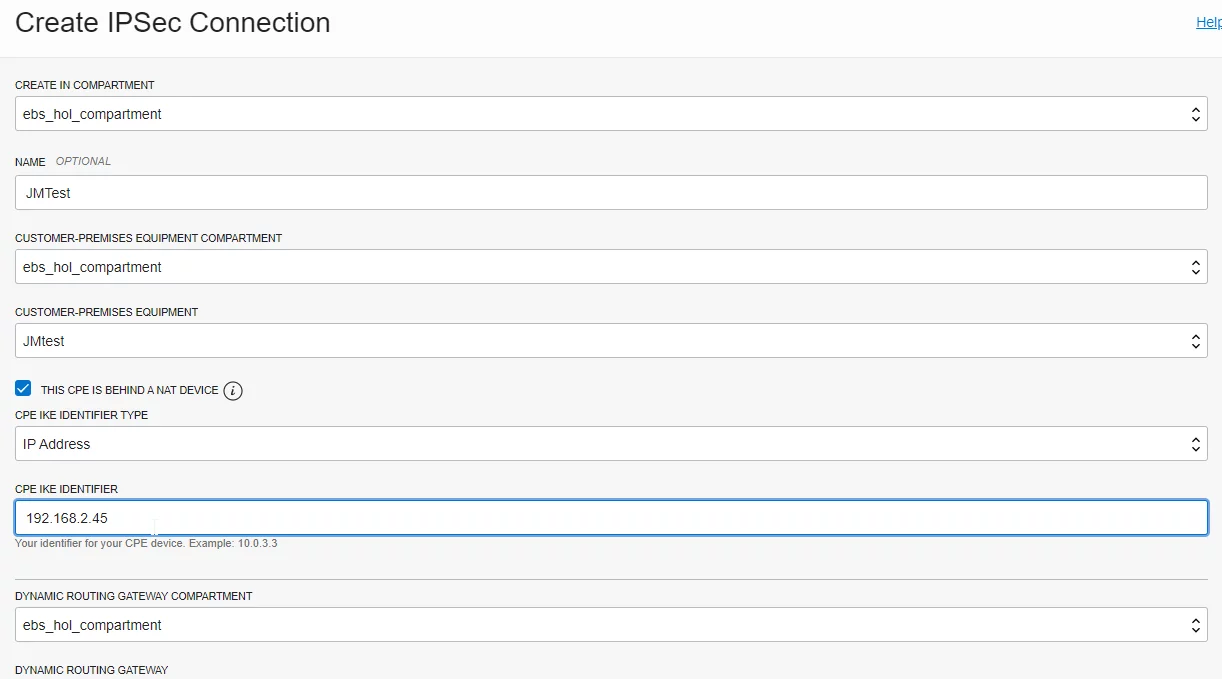
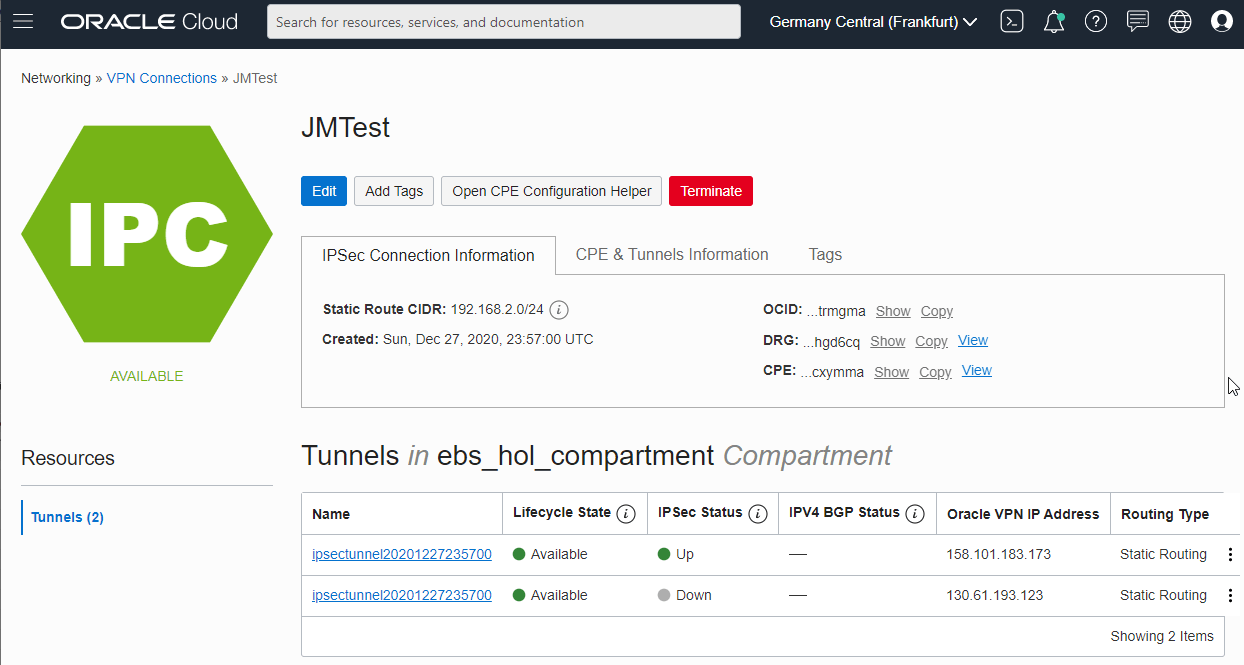
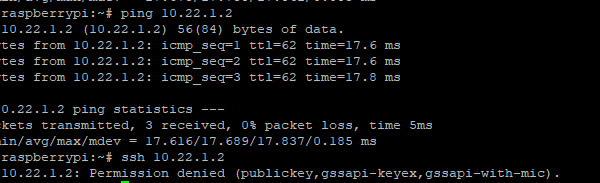
The setup on the Raspberry Pi is almost 100% as described in the Oracle documentation (do everything as the “root” user):
1. Install libreswan by issuing “apt-get install libreswan”
2. Edit /etc/sysctl.conf and add the following:
net.ipv4.ip_forward=1
net.ipv4.conf.all.accept_redirects = 0
net.ipv4.conf.all.send_redirects = 0
net.ipv4.conf.default.send_redirects = 0
net.ipv4.conf.eth0.send_redirects = 0
net.ipv4.conf.default.accept_redirects = 0
net.ipv4.conf.eth0.accept_redirects = 0
3. Apply the change with sysctl -p.
4. Create /etc/ipsec.d/oci-ipsec.conf as follows (note the indentation):
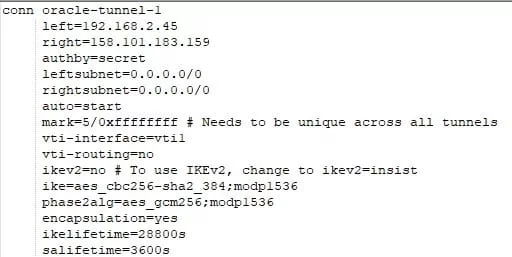
5. Create /etc/ipsec.d/oci-ipsec.secrets as follows (all in one line):
192.168.2.45 158.101.183.173: PSK “xG17Dn2UsdfhsdfhHKJHKJSHsdfhgsdfhsdfHJKHkJ0KJS2l2Dkjfjdfg35dgfjy”
6. Restart ipsec using systemctl restart ipsec
7. Check the log files with journalctl | grep pluto. This should give something similar to:
Dec 28 14:33:12 raspberrypi pluto[1779]: “oracle-tunnel-1” #1: STATE_MAIN_I4: ISAKMP SA established {auth=PRESHARED_KEY cipher=AES_CBC_256 integ=HMAC_SHA2_384 group=MODP1536}
8. Issue “ip link show” to verify the tunnel is up:
10: vti1@NONE: <POINTOPOINT,NOARP,UP,LOWER_UP> mtu 1480 qdisc noqueue state UNKNOWN mode DEFAULT group default qlen 1000
link/ipip 192.168.2.45 peer 158.101.183.173
9. Add routing on the Raspberry Pi side:
ip route add 10.22.0.0/16 nexthop dev vti1