
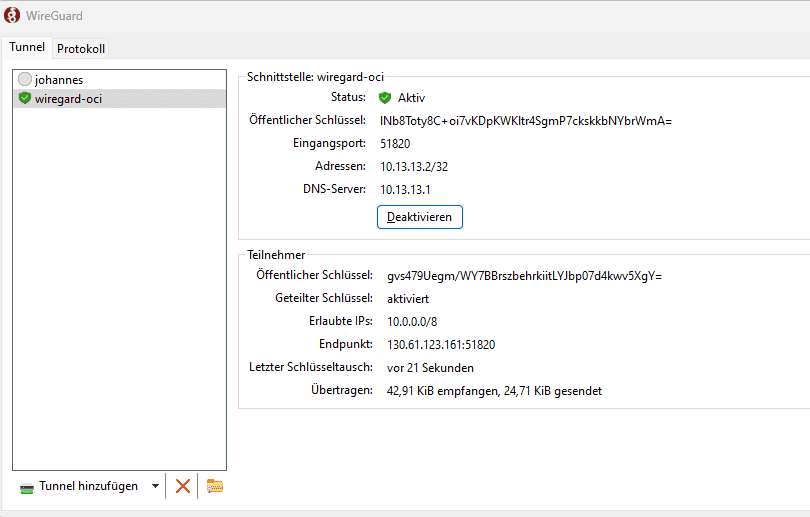
Wireguard Windows Client
This blog post was written by Johannes Michler (Chief Technology Officer (CTO) @ Broadpin & Oracle Ace Director).
Wireguard Windows Client
When setting up Oracle Cloud Infrastructure (OCI) environments, it is often helpful to have a lightweight VPN from your local machine to the newly setup OCI tenancy. There are several ways to achieve this:
Both approaches come with the drawback of needing a static IPv4 address on the on-premise side.
A workaround might be to use the OCI Cloud Shell to access instances in private networks.
However often such a (text) console access is does not suffice e.g. if you want to use SQL tools to connect to databases or run graphical UIs.
Finally, in simple scenarios, you can make use of OCI Bastion Service to build SSH tunnels to services in private networks.
But this is difficult to use in the case of large networks with lots of services. Let’s have a look at a powerful, fast and yet lightweight alternative: Setting up a VPN using wireguard. We will use a prebuilt docker image to make this process as smooth and easy as possible. This blog post will show you how to set up such a solution in detail.
First of all, we will create a demo Virtual Cloud Network (VCN) using the “Create VCN” wizard:
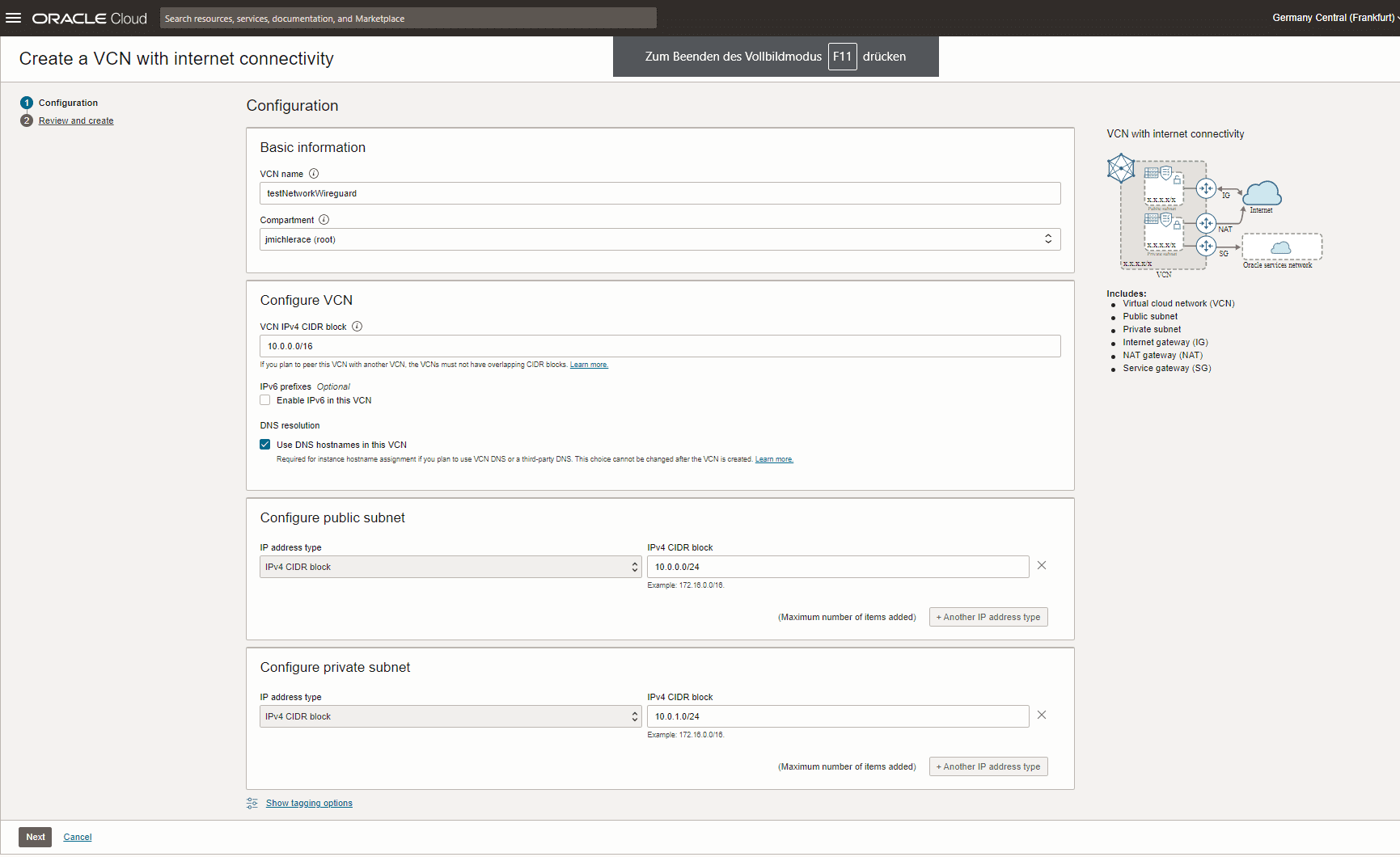
Basic sample network setup in OCI
This VCN consists of a private and a public subnet; only the public subnet is accessible through the public internet.
Then, we will start a testing instance in the private network that we want to access later on (IP: 10.0.1.3; FQDN: instance-20230322-2235.sub03222132361.testnetworkwire.oraclevcn.com):
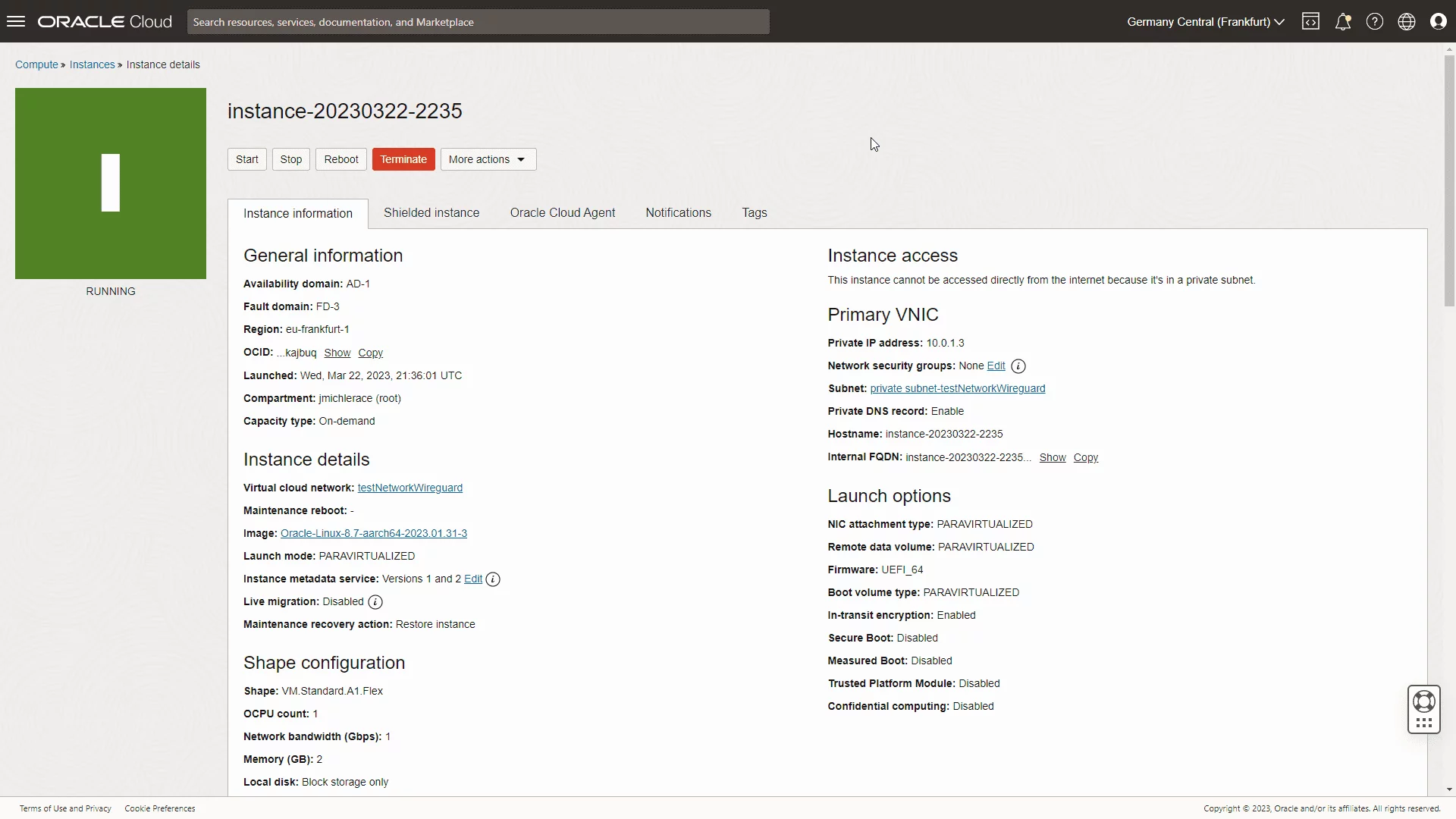
Dummy service that is only available internally
I prefer to have the wireguard server that serves as the gateway to my private network(s) to run on docker. Ideally, I’d prefer to use the OCI Container Instance Service.
However, that service unfortunately has a docker host so far that does not have the wireguard modules readily available. That’s why for now, we will quickly create our own docker server as an Oracle Linux 8 host in the public subnet:
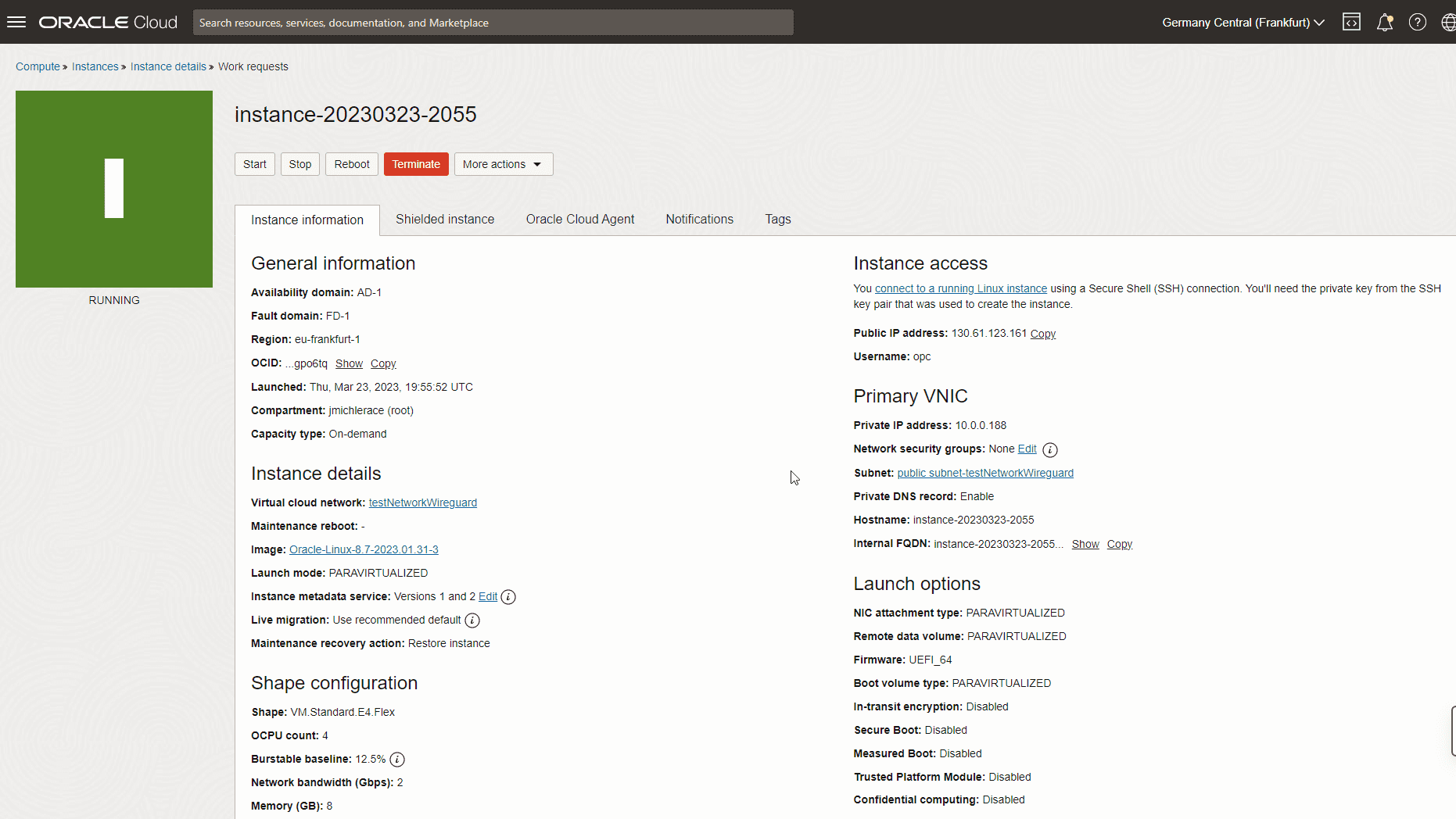
Docker Host that serves wireguard
Then, we SSH into that future docker server and install docker:
sudo su -
dnf install -y dnf-utils zip unzip
dnf upgrade
echo docker-ce-stable.repo >> /etc/oracle-cloud-agent/plugins/osms/ignored_repos.conf
systemctl restart oracle-cloud-agent
dnf config-manager --add-repo=https://download.docker.com/linux/centos/docker-ce.repo
dnf install -y docker-ce --nobest
systemctl enable docker.service
reboot
sudo su -
systemctl status docker.serviceFinally, we can start the wireguard docker container:
docker run -d --name wireguard \
--cap-add=NET_ADMIN \
--cap-add=SYS_MODULE \
-e PUID=1000 -e PGID=1000 \
-e TZ=Europe/Berlin \
-e SERVERURL=130.61.123.161 \
-e PEERS=johannesLaptop,johannesHandy \
-e PEERDNS=auto \
-e ALLOWEDIPS=10.0.0.0/8 \
-p 51820:51820/udp \
-v wireguard_config:/config \
-v /lib/modules:/lib/modules \
--sysctl="net.ipv4.conf.all.src_valid_mark=1" \
--restart=unless-stopped linuxserver/wireguard
The documentation of the used docker container can be found here: https://github.com/linuxserver/docker-wireguard
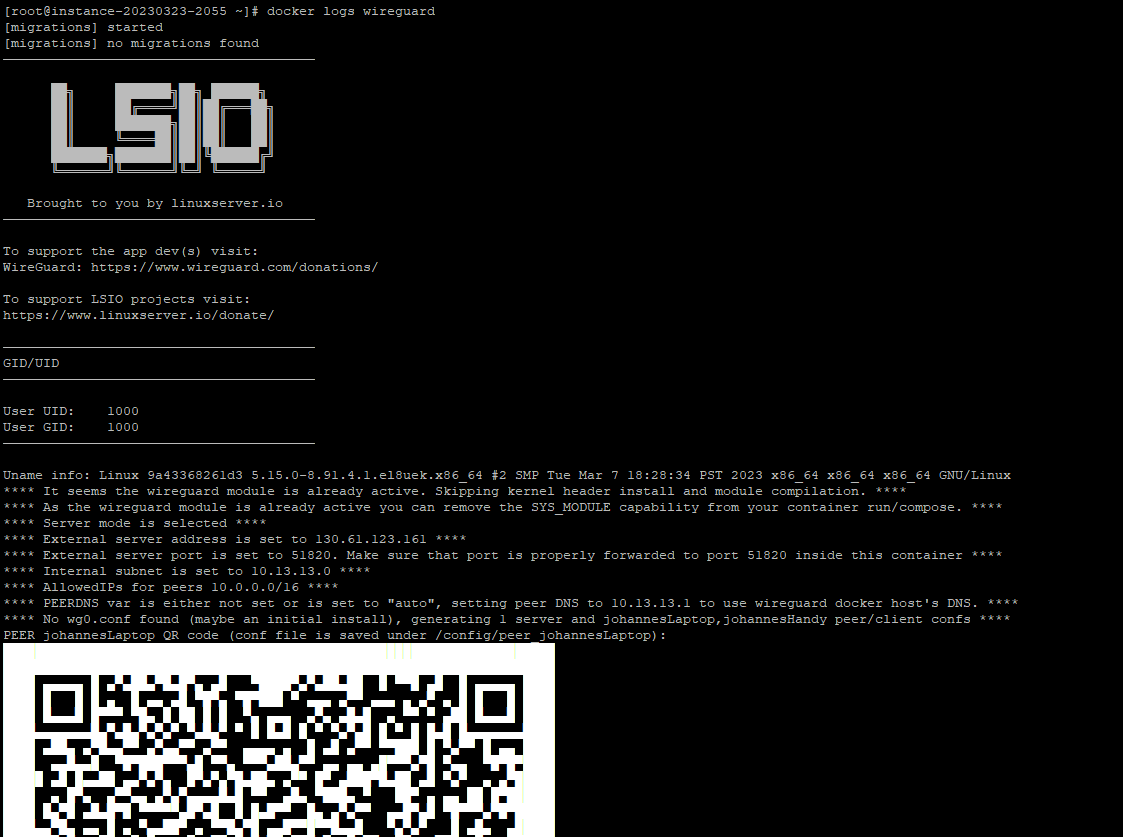
By setting up PEERDNS=auto, the wireguard clients will use the DNS resolving capabilities of the docker server, which itself uses the OCI name servers: This allows it to not only resolve public but also OCI internal host names.
By looking at the output:
docker logs wireguardWe receive a neat QR code:
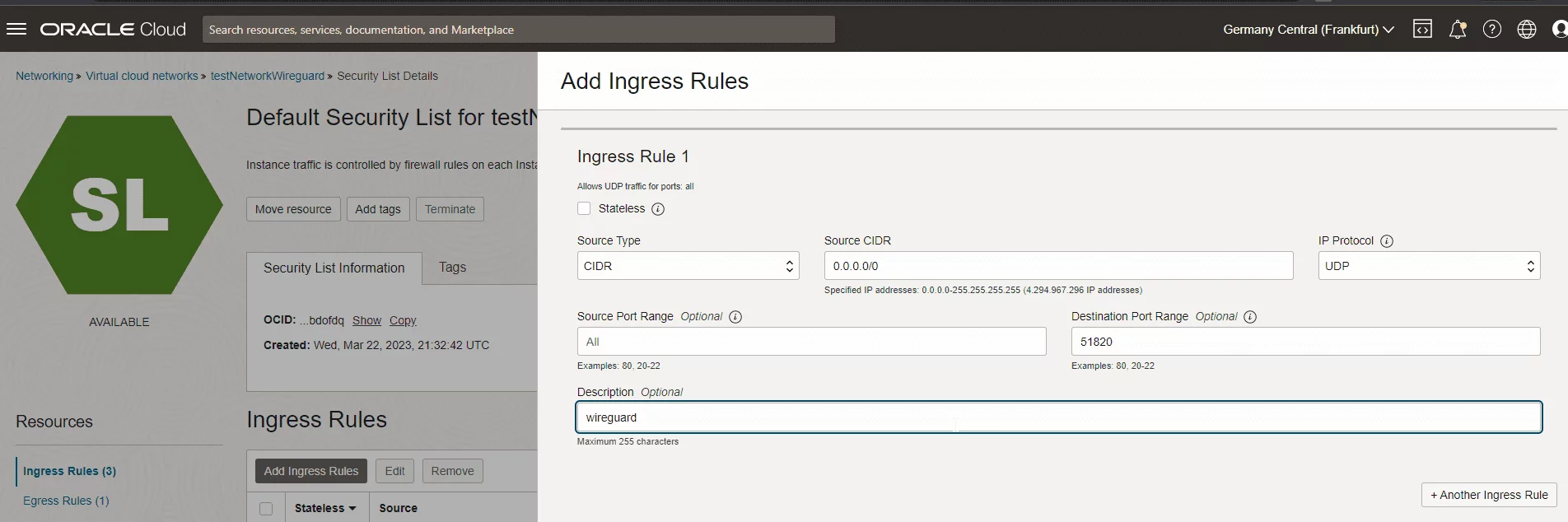
Before we can scan this QR code into our wireguard (e.g. android) app, we need to open port 51820 in our OCI firewall:
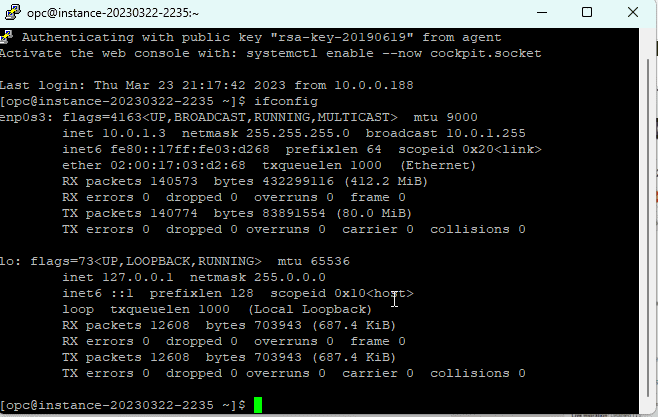
Then, we can start the wireguard connection and SSH into our instance 10.0.1.3 (or even the logical hostname) in the private OCI network.
Especially if you plan to run more services on your docker host, I recommend you do not put it into a public network. Instead, you can make use of the OCI Network Load Balancer service.
Simply put this network load balancer into the public network and use this service, to forward UDP traffic on port 51820 from the NLB to the (private) docker server hosting wireguard. For the (mandatory) health check, you can make use of the CoreDNS service running on port 8080 (TCP/HTTP) of the wireguard docker container:
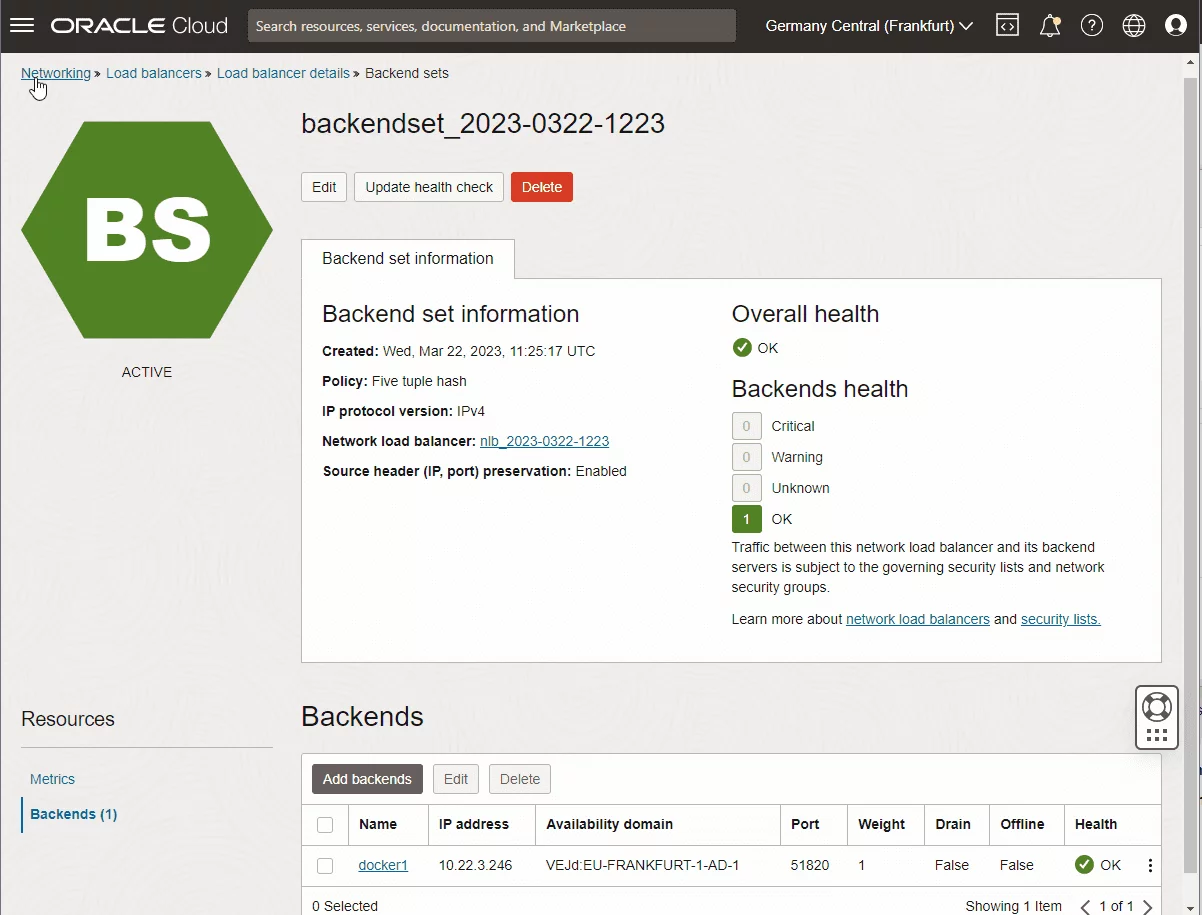
Network Load Balancer
As a result, this would give you an architecture as follows:
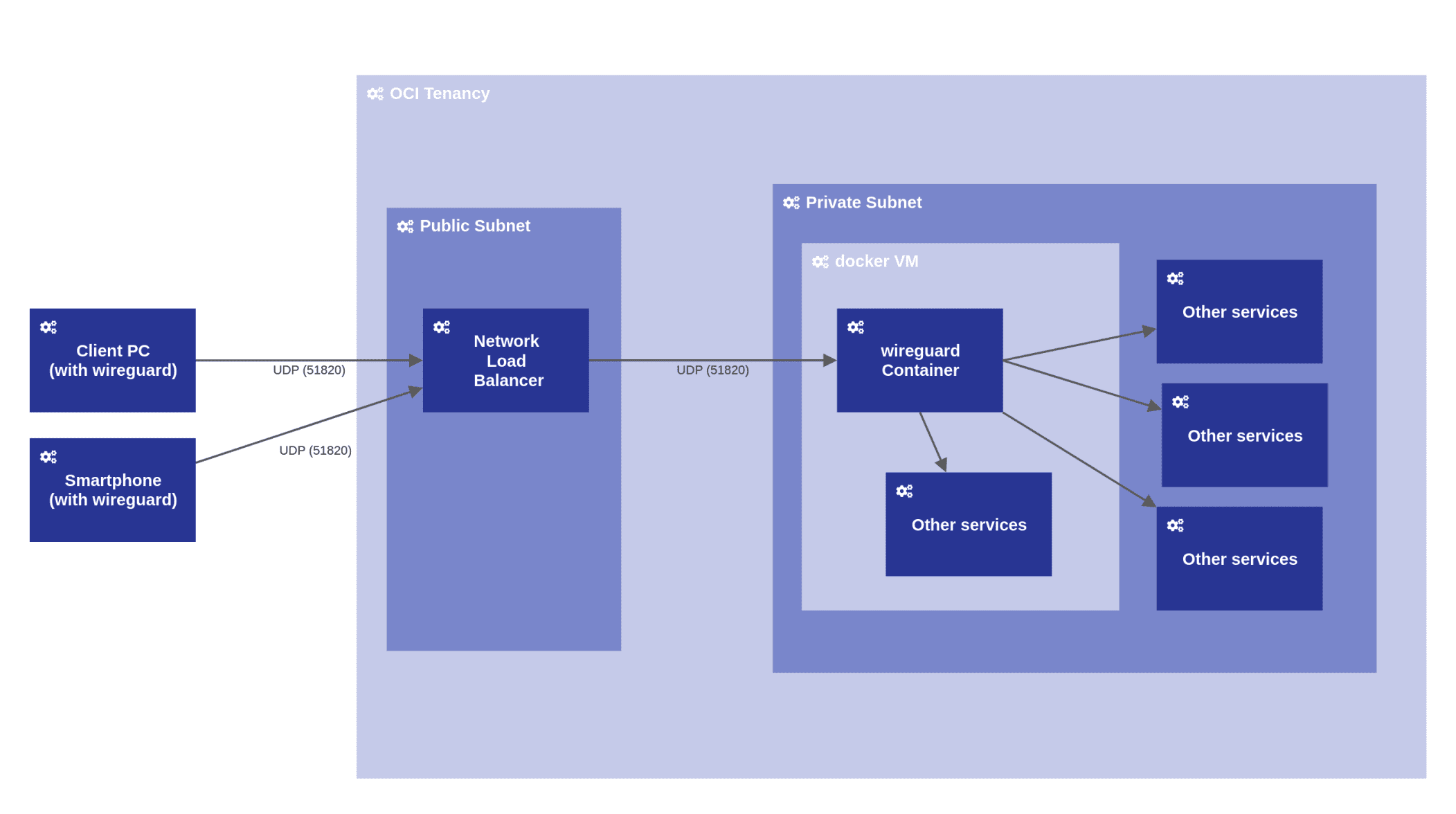
System architecture model (own drawing using Horus)
The described procedure provides a very easily set up and nevertheless secure way to connect to instances and services running within OCI. The connection is established in about a second and provides a high performance. Furthermore, wireguard runs easily on Windows, Linux or Android devices.